- Home
- Integrations
- What is Integrations
What is Integrations
Sensedia Integrations is a cloud platform where you can integrate applications through integration flows.
Key features
-
Low-code integration creation with code visualization

Create integrations in a low-code manner using Apache Camel components while simultaneously viewing and editing the generated code. This ensures more flexibility and transparency in development.
- AI support for creating Camel YAML DSL scripts

Count on Artificial Intelligence support to assist in creating integration scripts in Camel YAML DSL. AI suggests code snippets, reduces errors, and accelerates the implementation of more complex flows.
-
Database connection via JDBC component

Connect your flows directly to relational databases through Apache Camel's JDBC component. Perform queries, inserts, and updates securely and simply.
-
Building flows with Camel components and EIPs

Sensedia Integrations enables building flows using a wide variety of Camel components and Enterprise Integration Patterns (EIPs). This allows you to model robust and highly customized integrations to meet different business scenarios.
-
Logs and traces for performance evaluation and troubleshooting

Access detailed logs and complete execution traces of your flows. This functionality enables performance analysis, bottleneck identification, and advanced troubleshooting support, ensuring more stable integrations.
-
Creating releases for integration versioning

Manage different versions of your integration flows by creating releases. This practice facilitates change control, rollback in case of failures, and tracking project evolution.
-
Security credentials for data protection

Security is a critical factor for any business. Therefore, Sensedia Integrations has robust security mechanisms to prevent misuse and data breaches (Canvas-legacy flows).
-
Integration flow execution in test mode to anticipate potential failures

With test mode, you can execute an integration flow before deploying it to the environment, ensuring more agility and efficiency (Canvas-legacy flows).
Advantages
Our solution is ideal for solving integration challenges in complex environments where different applications and systems need to communicate and exchange information efficiently. Learn about the advantages we offer for your business:
-
Connectivity: integration between heterogeneous systems, allowing data exchange between different applications, databases, and services.
-
Process orchestration: automation of manual processes, significantly reducing the time and effort required for maintaining and implementing new integrations.
-
Monitoring: visualization of each integration flow's executions in real-time, monitoring requests, performance, and errors.
-
Scalability: scales integrations according to your company's needs, without requiring interruptions in data flow and complex restructuring.
Navigation
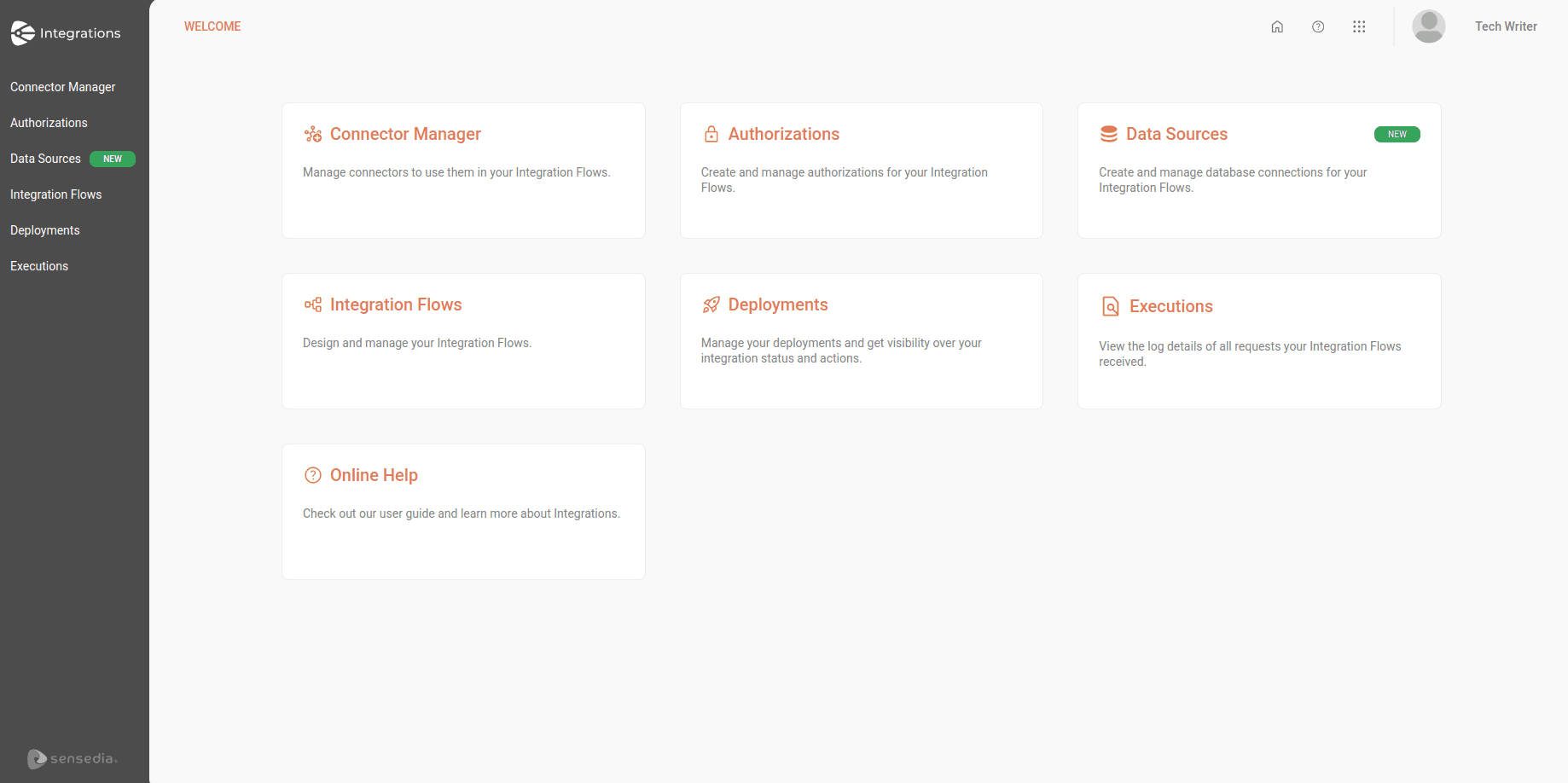
To navigate Sensedia Integrations, access the Welcome screen and click on the cards, or click on the options available in the product's left sidebar menu:
 Connector Manager
: View all available connectors (Canvas flows).
Connector Manager
: View all available connectors (Canvas flows).
 Authorizations
: Register authorizations for your integration.
Authorizations
: Register authorizations for your integration.
 Data Sources
: Connect your integration flows to databases (Diagram & Source Code flows).
Data Sources
: Connect your integration flows to databases (Diagram & Source Code flows).
 Integration Flows
: Create and manage integration flows.
Integration Flows
: Create and manage integration flows.
 Deployments
: Check deployment status and actions.
Deployments
: Check deployment status and actions.
 Executions
: View execution logs (execution logs) of integration flows.
Executions
: View execution logs (execution logs) of integration flows.
 Online Help
: Access product documentation on the Sensedia Docs page.
Online Help
: Access product documentation on the Sensedia Docs page.