- Home
- Integrations
- t AWS S3 Storage Service
t AWS S3 Storage Service
The AWS S3 Storage Service component allows you to interact with AWS's Amazon S3 (Simple Storage Service) and manipulate data in S3 buckets directly through integration routes.
URI Syntax: aws2-s3://bucketNameOrArn
Main fields
Path parameters
Query parameters
Example
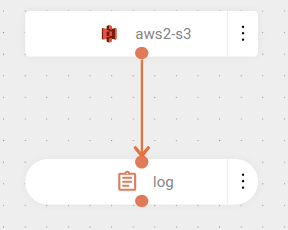
The flow is triggered by new events in an AWS S3 bucket (aws2-s3://bucket-s3). The parameters indicate the credentials used and the bucket location.
Next, the flow logs a message with the content of the processed file or object from the bucket.
NOTEThe bucket's existence will be validated when the integration begins. If any problem occurs during the creation of the bucket, the deployment will fail and remain with ERROR status. Possible errors include:
- Credentials not provided.
- Invalid credentials (
accessKey/secretKey).- Credentials without permission to create buckets.
- Bucket name already existing in another account.
The file will be automatically deleted after successful processing. To prevent this deletion, set the
deleteAfterReadparameter tofalse. In this case, the file will be processed repeatedly unless it is moved to another bucket using themoveAfterReadanddestinationBucketparameters.