- Home
- Integrations
The Mail component is used to send and receive emails. It is often divided into three main protocols:
- IMAP for accessing and managing emails on the server.
- POP3 for downloading emails from the server.
- SMTP for sending emails.
SMTP/SMTPS
SMTP is used to send emails to SMTP servers, allowing Camel to send messages with custom content, attachments, and recipients in an integration flow.
NOTESMTPS is a secure version of SMTP that transmits encrypted data using SSL/TLS.
URI Syntax: smtp:host:port or smtps:host:port
Main fields
Path parameters
NOTEIf the port number is omitted, Camel determines the port number to use based on the protocol.
Query parameters
Example
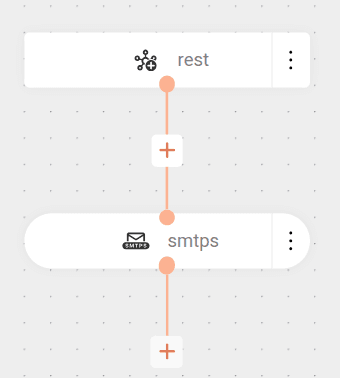
This flow demonstrates how to receive an HTTP request, compose an email from the received data, and send it using the SMTPS protocol (port 465), logging the operation at the end of processing.
The flow receives a POST request.
Defines the email headers:
- To: recipient (john.doe@sensedia.com)
- Subject: subject "[POC - Camel Mail] Camel is cool"
- Content-Type: plain text (
text/plain)
Then, composes the email body, including the content received in rest.body.
Converts the body to java.lang.String, ensuring compatibility with the email component.
Then sends an email via SMTPS (Gmail on port 465) with configured credentials.
Finally, logs a message indicating the operation completion.
cURL
Result
Sending emails with attachments
To send emails with attachments, use the EIP Process.
The processor allows you to define: the attachment name, content-type, and content, which can be binary or text.
See an example below:
Flow start: the flow starts with a GET request to the /mail endpoint.
Document retrieval: the flow makes a GET request to an external API to obtain the contents of a file (PDF). The bridgeEndpoint: true parameter ensures that headers will be preserved. The returned content is stored in the message body.
Attachment headers preparation: three custom headers are defined with the file information:
SensediaAttachmentName: defines the file name ("notafiscal.pdf").SensediaAttachmentContentType: defines the MIME type of the file ("application/pdf").SensediaAttachmentContent: the binary content of the file (taken from the current body using${body}).
NOTEMIME type (Multipurpose Internet Mail Extensions) identifies the format of a file (e.g., application/pdf, image/jpeg, text/html) so that systems know how to interpret it correctly.
Processing: uses the AddAttachmentProcessor to add the attachment to the email based on the defined headers.
Email body: defines the text that will appear in the message body.
Header removal: removes temporary headers so they are not sent to the SMTP server.
Sending: connects to Gmail's SMTP server and sends the email with the attachment.
Response: returns a confirmation message to the client.