The FTP component provides access to remote file systems via FTP and SFTP protocols.
NOTEFTPS is a secure version of FTP that adds SSL/TLS support to encrypt the connection.
URI Syntax: ftp:host:port/directoryName
Path parameters
Name | Description | Default | Type |
|---|---|---|---|
host (common) | (required) Hostname of the FTP server. | — | String |
port (common) | Port of the FTP server. | — | int |
directoryName (common) | Starting directory. | — | String |
Query parameters
Name | Description | Default | Type |
|---|---|---|---|
fileName (common) | Used to dynamically set the file name as an expression. For consumers, it serves as a name filter; for producers, to evaluate the file name to write. | — | String |
password (security) | Password used for authentication on the FTP server. | — | String |
username (security) | Username used for authentication on the FTP server. | — | String |
delay (scheduler) | Time in milliseconds before the next check/poll to consume files. | 500 | long |
passiveMode (common) | Sets connections to passive mode. | false | boolean |
includeExt (filter) | Used to include files matching the file extension name (case-insensitive). For example, to include .txt files, use includeExt=txt. Multiple extensions can be separated by commas; for example, to include .txt and .xml files, use includeExt=txt,xml. | — | String |
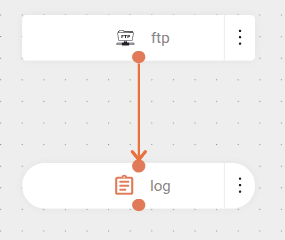
The flow connects to an FTP server and downloads text files.
The parameters indicate the credentials used for authentication (username and password) and that the text should filter and include only files with the .txt extension.
The flow includes a 10-second delay between download attempts and operates in passive mode.
IMPORTANTCheck whether the FTP server operates in Active Mode or Passive Mode. "Read timeout" errors or file reading failures may occur if the mode is not configured correctly. The
passiveMode=trueparameter should be included when the server works in passive mode. For more details about the differences between modes, see Active Vs. Passive FTP Simplified.
Then, it logs the content of these files.
NOTEIn this example, files are not removed after processing because the demo server used is read-only.
We use cookies to enhance your experience on our site. By continuing to browse, you agree to our use of cookies.Learn more