- Home
- Integrations
- Deployment
Deployment
You can deploy your integration flow by clicking the DEPLOY button on the Flow screen.
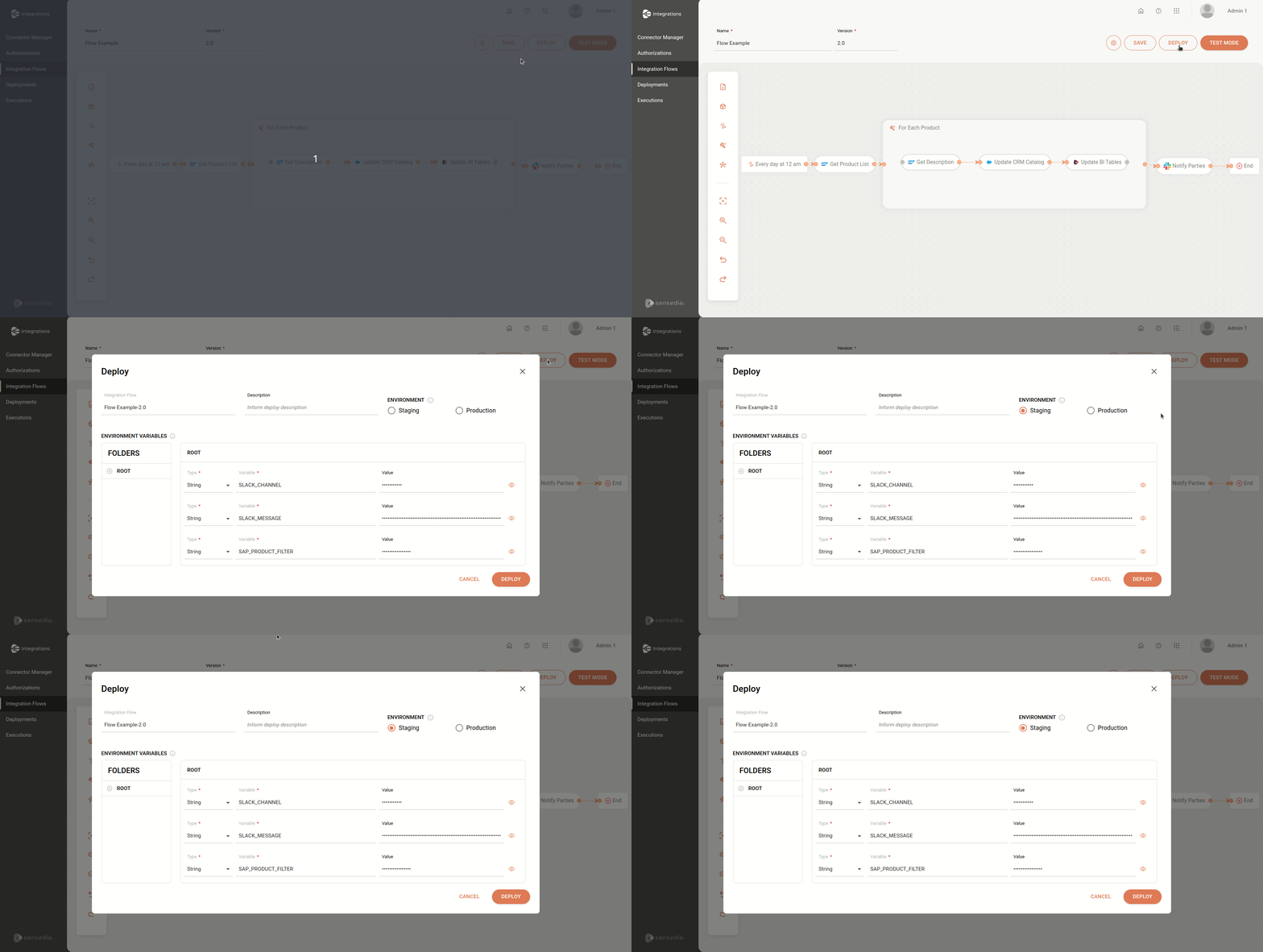
TIPYou need to save your flow before deploying it.
When you click the button, the Deploy screen will appear:
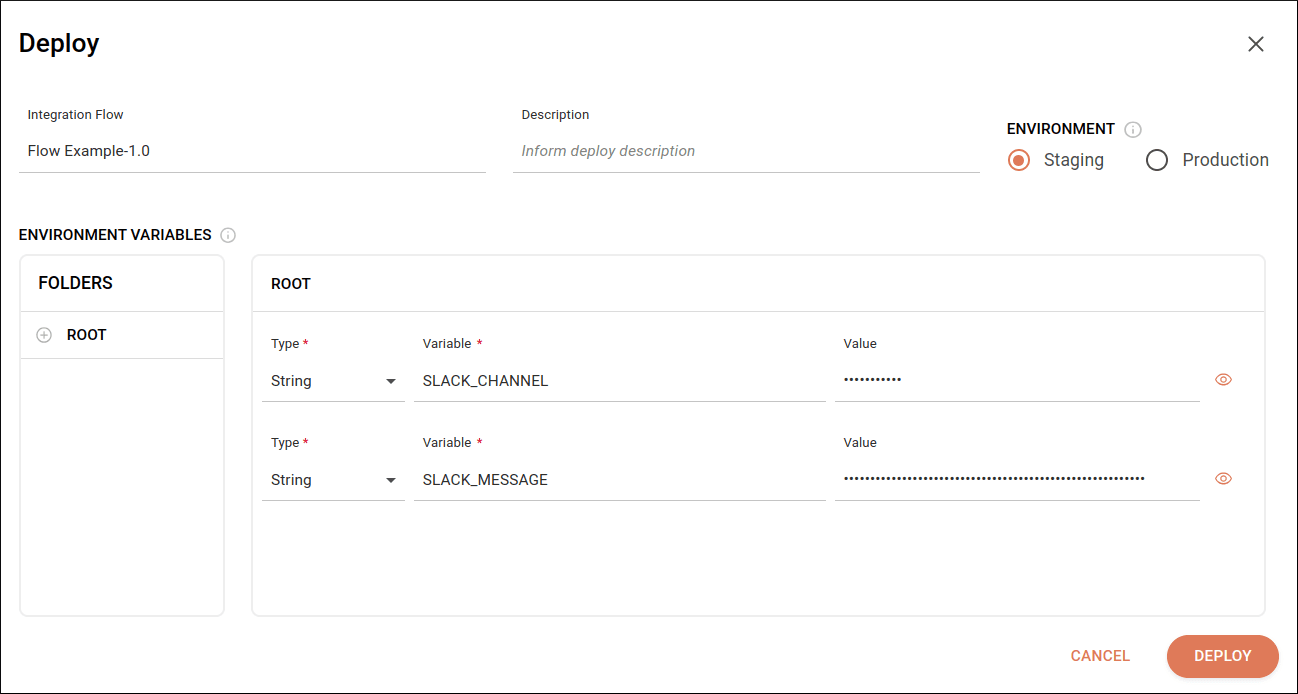
On this new screen you can read and fill in the following fields:
-
Integration Flow: contains the name and version of the integration flow. Read-only field.
-
Description: the deployment description. Alphanumeric field that allows special characters and blank spaces, with a limit of 1024 characters. This field is not mandatory.
-
Environment: selection field for choosing the deployment environment. You must choose between:
- STAGING: test environment. It is enabled by default.
- PRODUCTION: production environment.
-
API Key (for REST trigger only): field to enable or disable API Key generation at deploy time (for staging and production environments).
-
Environment Variables: the environment variables registered in the selected flow. By default, the folder name where variables are saved is ROOT. The Type and Variable fields are read-only.
- Type: the type of registered variable. Can be String, Number, Boolean or Double.
- Variable: the name of the registered variable.
- Value: the value registered in the flow. Alphanumeric field that allows special characters and blank spaces, with a limit of 250 characters. This field is not mandatory and allows editing only, it is not possible to delete or add variables. You can hide the variable value by clicking the
 icon on the right.
When you finish editing, click DEPLOY in the lower right corner to deploy your flow. A message box with confirmation will appear for your validation. If there are no pending issues, your deployment will begin.
NOTEIf a deployment process is already in progress, you will see a message stating that the action cannot be completed.
Click CANCEL in the lower right corner or X in the upper right corner if you want to exit the Deploy screen. If changes have not been saved before, you must confirm the action.