- Home
- Integrations
- Building SQL Instructions
Building SQL Instructions
On this page, we provide an overview of SQL instructions used in configuring most database connectors in Sensedia Integrations.
In this section, you will find:
Overview
An SQL instruction is a command or query that allows interaction with relational databases in an integration flow.
They are used to manipulate data, whether to query, insert, update, or delete records. Thus, instructions become essential for exchanging and managing information between integrated systems.
To ensure correct execution of these operations, each instruction must be written according to native SQL syntax.
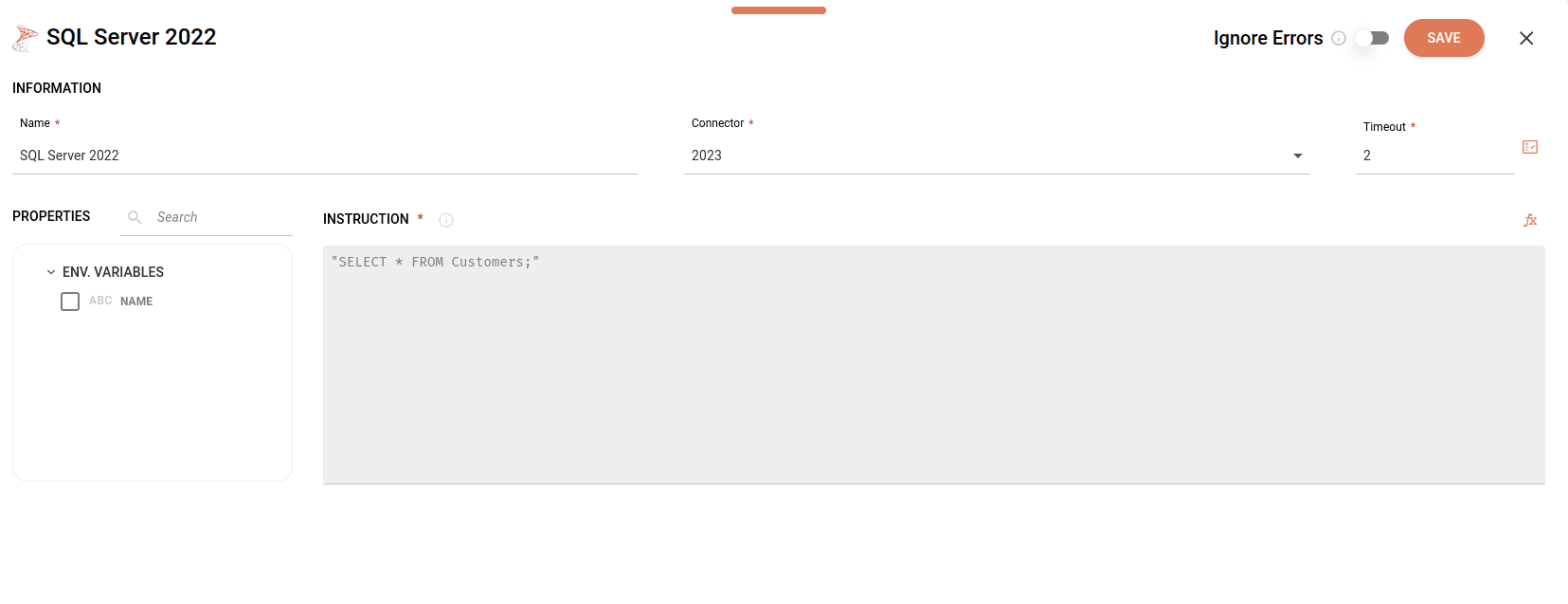
You can use Properties, located on the left side of the screen, to select environment variables and payloads from previous steps that you want to include in the instruction.
Below, see the configuration form for the SQL Server 2022 database connector:
Operations
SQL operations are instructions that perform actions on data in a database, the most common being SELECT, INSERT, UPDATE, and DELETE.
-
SELECT: selects data from one or more tables.
The instruction selects the
first_name,last_name, andemailcolumns from theemployeestable for all employees in the sales department (Sales). -
INSERT: adds new records to a table.
The instruction inserts a new record into the
employeestable, with the provided values for thefirst_name,last_name,department, andhire_datecolumns. -
UPDATE: modifies existing data in a table.
The instruction updates the
employeestable with data for employeeemployee_id = 123, changing their department and hire date. -
DELETE: removes records from a table.
The instruction deletes the record of the employee with
employee_id = 123from theemployeestable. -
JOIN: combines records from two or more tables, based on a relationship condition between them. There are different types of JOINs, such as INNER JOIN, LEFT JOIN, RIGHT JOIN, and FULL JOIN.
The instruction performs a join (using INNER JOIN) between the
employeesanddepartmentstables. The join occurs when the value of thedepartment_idcolumn is equal in both tables. -
CREATE and ALTER: define or modify the database structure (creating new objects or changing existing objects).
- CREATE: creates a new table or other object.
The instruction creates a table called
employees, where:-
employee_idwill be the primary column and will contain only integers. -
The
first_nameandlast_namecolumns must contain a string with up to 100 characters. -
The
departmentcolumn must contain a string with up to 50 characters. -
The
hire_datecolumn must contain a date.
- ALTER: modifies the structure of an existing table, such as adding or deleting columns.
The instruction modifies the
employeestable by adding theemailcolumn, which must contain a string with up to 100 characters. -
GROUP BY and HAVING: GROUP BY groups records that have identical values in specific columns, allowing aggregate functions (such as COUNT, SUM, AVG) to be used to calculate results for each group. HAVING is used to filter groups after applying GROUP BY.
In the
employeestable, the instruction selects departments and counts the number of employees in each. Then, it groups the data by department and displays only departments that have more than 5 employees.
Syntax elements
Next, check some basic syntax rules to build an instruction:
- Single quotes for strings
Strings are delimited by single quotes.
Example: SELECT * FROM users WHERE name = 'João';
The instruction returns all columns from records where the name column value is João.
- Double quotes for identifiers
In some situations, it is possible to use double quotes for column or table identifiers (such as "id", "users"), but this is not mandatory in all databases and may vary.
Example: SELECT "id" FROM "users";
The instruction selects only the id column from the users table.
- Comma
The comma is used to separate arguments or elements within a function, parameter list, or string concatenation.
Example: SELECT id, name FROM users WHERE age > 18;
The instruction filters users from the users table over 18 years old and displays only their id and name.
- Semicolon
The semicolon is used to indicate the end of a command, allowing multiple instructions to be executed within the same block.
Example: SELECT * FROM users; UPDATE users SET age = 30 WHERE id = 1;
The instruction returns all columns from the users table and updates the age column value to 30 in the record where id is 1.
- Escaping internal quotes
If you need to use single quotes inside a string that is also delimited by single quotes, you must escape these internal quotes using additional single quotes.
Example: SELECT * FROM users WHERE name = 'O''Malley';
The instruction returns all columns from records where the name column value is 'O'Malley'.
- Asterisk to select all columns from a record
Example: SELECT * FROM orders WHERE total_amount < 100;
The instruction returns all columns from the orders table with a value less than 100.
- WHERE for filtering
The WHERE clause is always placed after the FROM statement to define filtering conditions.
Example: SELECT * FROM users WHERE id = 1;
The instruction returns all columns from the users table where the id equals 1.
- Logical operators
The logical operators AND, OR, NOT are used to combine conditions within the WHERE clause.
Example: SELECT * FROM users WHERE age > 18 AND status = 'active';
The instruction returns all columns from the users table with age over 18 years and with active status.
- Relational operators
The relational operators: =, !=, <, >, <=, >=, BETWEEN, LIKE, IN are used to compare values in conditions.
Example: SELECT * FROM products WHERE price BETWEEN 10 AND 100;
The instruction returns all columns from the products table, but only for records where the price column value is within the range of 10 to 100.
Examples
Now, let's explore some examples of how to apply instructions in different contexts in Sensedia Integrations.
- Example 1
-
The instruction returns all columns from the
userstable for the record where the id equals theidfrom the For Each input payload.concat: the Concat function is used to join (or concatenate) two or more strings into a single string."SELECT * FROM users WHERE id = ": instructs the database to:- Select (
SELECT) - all columns (
*) - from (
FROM) - the
userstable - and filter the search (
WHERE) - to return only rows where the
idcolumn matches a specific value indicated after the equals sign (id =). $.For_Each.Input.Payload.id: value that will be filtered by the instruction, extracted from theidfield in the For Each step input payload.
- Select (
-
Example 2
-
The instruction inserts a new record into the
clientstable with theid,name, andlast_namevalues. -
The specific values are taken from the For Each step input payload.
-
If the
id(or another primary key) already exists in the table, the instruction does not insert a new record, but updates the fields:namelast_name
-
Example 3
-
The instruction is a
CREATE TABLEcommand, which creates a table in the database. -
IF NOT EXISTS: this clause ensures that the table is created only if it does not already exist. The table will be calledclientsand will be used to store customer information. -
Below are the definitions of the 3 columns:
id INT PRIMARY KEY: the column name will beidand the data type to be inserted in the column will be integer. This will be the primary column, which means it must contain unique and non-null values.name VARCHAR(255): the column name will benameand the data type to be inserted in the column is a string with up to 255 characters. TheVARCHARtype is used to store short texts.last_name VARCHAR(255): the column name will belast_nameand has the same characteristics as the second column.
-
Example 4
- The instruction starts with the
concatfunction, which is used to dynamically build a PL/SQL command (Oracle's programming language) that executes the steps below:- Declares (
declare) a variablev_jsonof typeCLOB(Character Large Object). The CLOB type is used to store large volumes of text, such as documents or large payloads. - Assigns to the variable the value extracted from a payload (
CombinarDados.Response.Payload). The payload is expected to be a large block of text or data, so the value is inserted between single quotes. - After declaring the variable, the
BEGINcommand starts the PL/SQL execution block, where the actual execution logic will occur. Within this block, theINSERT_PROCEDURE_DATAprocedure is called, which receives thev_jsonvariable as an argument to process or insert data into the database. The block is finalized with theENDcommand, ending the execution of the instruction sequence.
- Declares (
NOTEA procedure is a set of SQL instructions that are stored in the database and can be executed repeatedly.