- Home
- Integrations
- Environment Variables
Environment Variables
Environment Variables
Environment variables are key-value pairs used to configure and customize application behavior. In general, they help to:
- Manage settings that may vary between different environments (development, testing, production).
- Keep sensitive information secure: API keys, database credentials, etc.
- Facilitate changes and updates.
Information registered in environment variables can be used in any step of the integration flow immediately after registration.
NOTEEnvironment variables are not shared between different integration flows. You are only allowed to register environment variables for the current integration flow.
Creating an environment variable
To create an environment variable, follow the steps below:
Click on the  icon in the editing menu.
Click + ADD A NEW VARIABLE if the folder is empty. Otherwise, click the  icon to the right of the last variable displayed on the screen.
Fill in the fields:
-
Type: variable type, which can be String, Number, Boolean and Double.
-
Variable: variable name. Registering the same variable more than once is not allowed. If you leave this field blank, you will not be able to view the variable in the steps configuration.
-
Value: variable value. The variable can be used even if this field is left blank. However, if the variable requires a value to be executed, an error will occur in the logs during the integration flow execution.
Save the variable: click SAVE.
NOTEIt is mandatory to fill in the Type and Variable fields to save it.
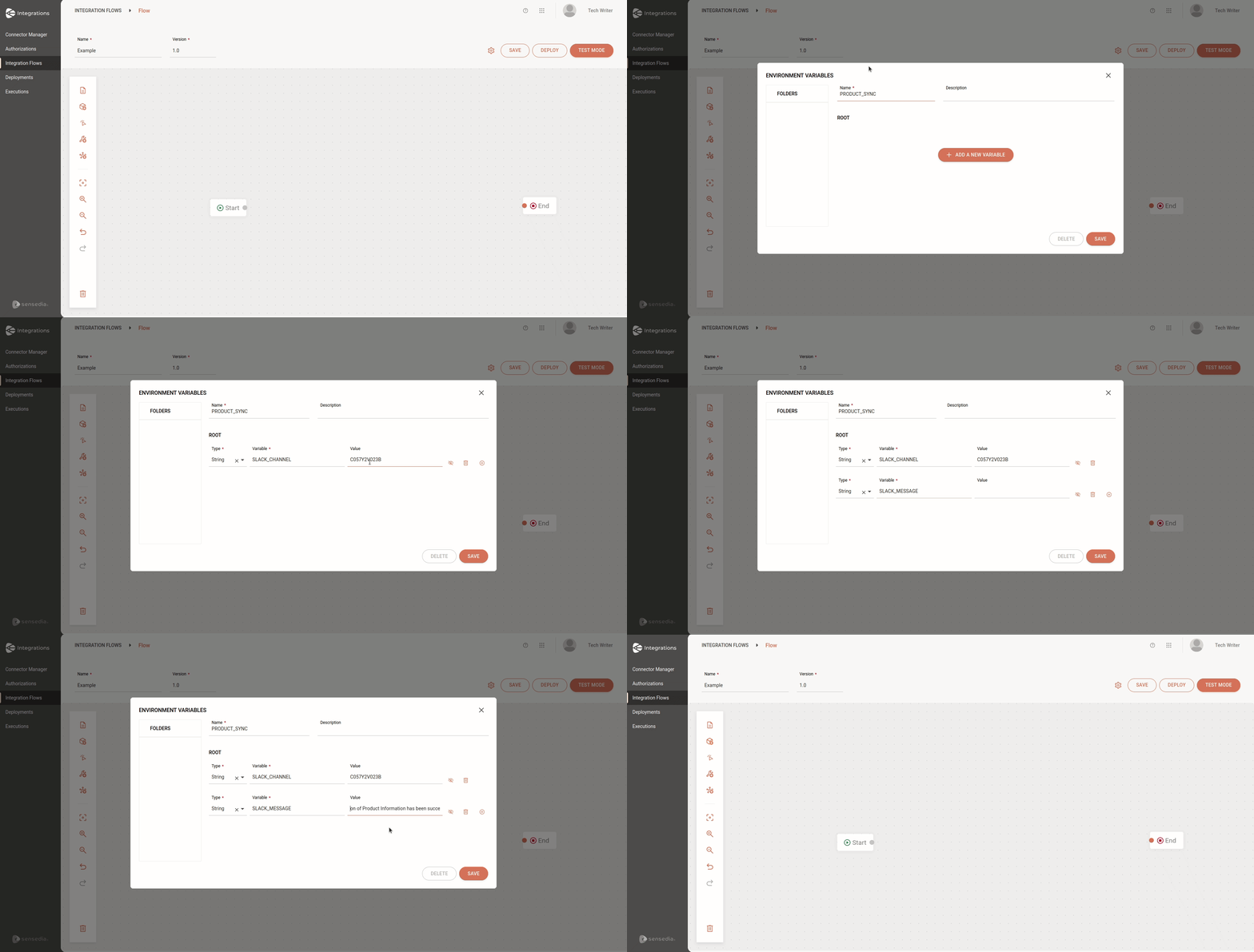
Managing environment variables
-
To edit the inserted information, simply change it in the desired fields and save. If you edit a variable already in use, you must also change it in the step that is using it. In this case, you will see an alert icon in the step indicating that you need to make this change.
-
To delete a specific variable from the folder, click on the trash icon to the right of the variable line you want to delete.
WARNINGBy clicking DELETE, you will delete all environment variables from the integration flow.