- Home
- Integrations
- Logging and Monitoring
Logging and Monitoring
Log
The Log component is very useful for logging messages during route processing. It allows you to see what is happening in your integrations in real-time, helping with debugging and monitoring.
URI syntax: log:loggerName
Main fields
Path parameters
Query parameters
Example
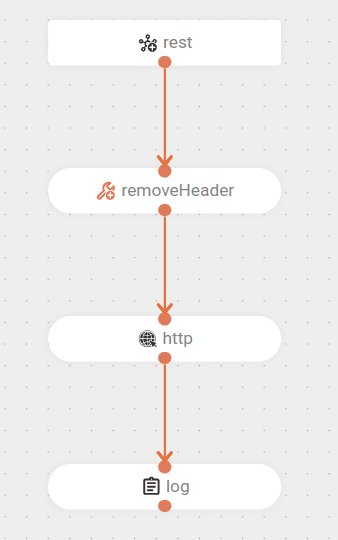
The flow receives a POST request.
Removes the Exchange.HTTP_PATH header from the message.
Makes an HTTP call to an external endpoint.
Finally, logs the response from this call in the logs.