- Home
- Flexible Actions
- Features
Features
Flexible Actions automates API and Sensedia API Platform event monitoring, allowing you to define alarms and rules for preventive actions.
Users can create as many alerts as they want. Notifications are divided between Platform Events and alerts from API monitoring, and classified by criticality (four levels: neutral, success, warning, and critical).
There are four different parameters to monitor APIs:
- Total calls
- Availability
- Latency
- HTTP response status
Each alert can be customized for a specific API, including environment, resource, and operation definition. You can also set the minimum or maximum value that will trigger the alert, as well as the frequency for status checks.
For Platform Events, you can monitor changes in the following objects:
When an alert is triggered, whether from API monitoring or Platform Events, Flexible Actions sends a notification by email, Slack, or to a previously registered endpoint—with the possibility to customize the message. Triggered alerts are also displayed on the Triggered Alerts screen and can be searched by tags added to the alert during creation or editing to facilitate searches.
Menu Options
In addition to a home page with links to other features, Flexible Actions includes four pages accessed from the left sidebar menu:
- The Triggered Alerts page shows a list of sent notifications.
- The Platform Events and Runtime Alerts screens show lists of configured alerts and allow the inclusion of new alerts based on monitoring parameters—for Platform Events and API operation, respectively.
- The Integrations screen manages integration settings needed for notification actions that require third-party connections:
- The WEBHOOK CREDENTIALS tab manages authentication credentials (client ID/secret) used to send requests to registered endpoints.
- The SLACK tab manages Slack workspaces available for sending notifications.
- The PHONE CATALOG tab manages the list of WhatsApp contacts added to receive notifications.
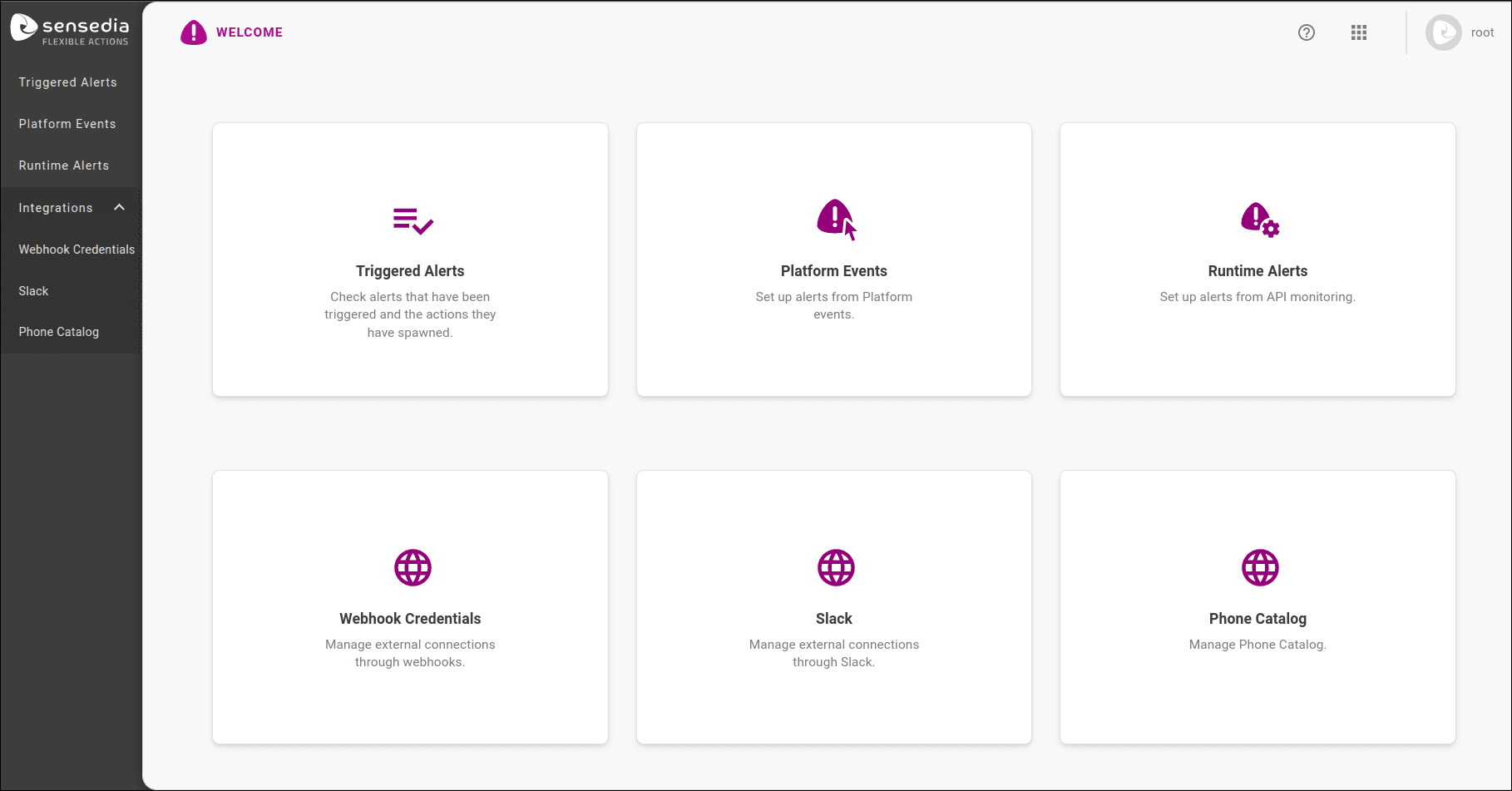
Home screen
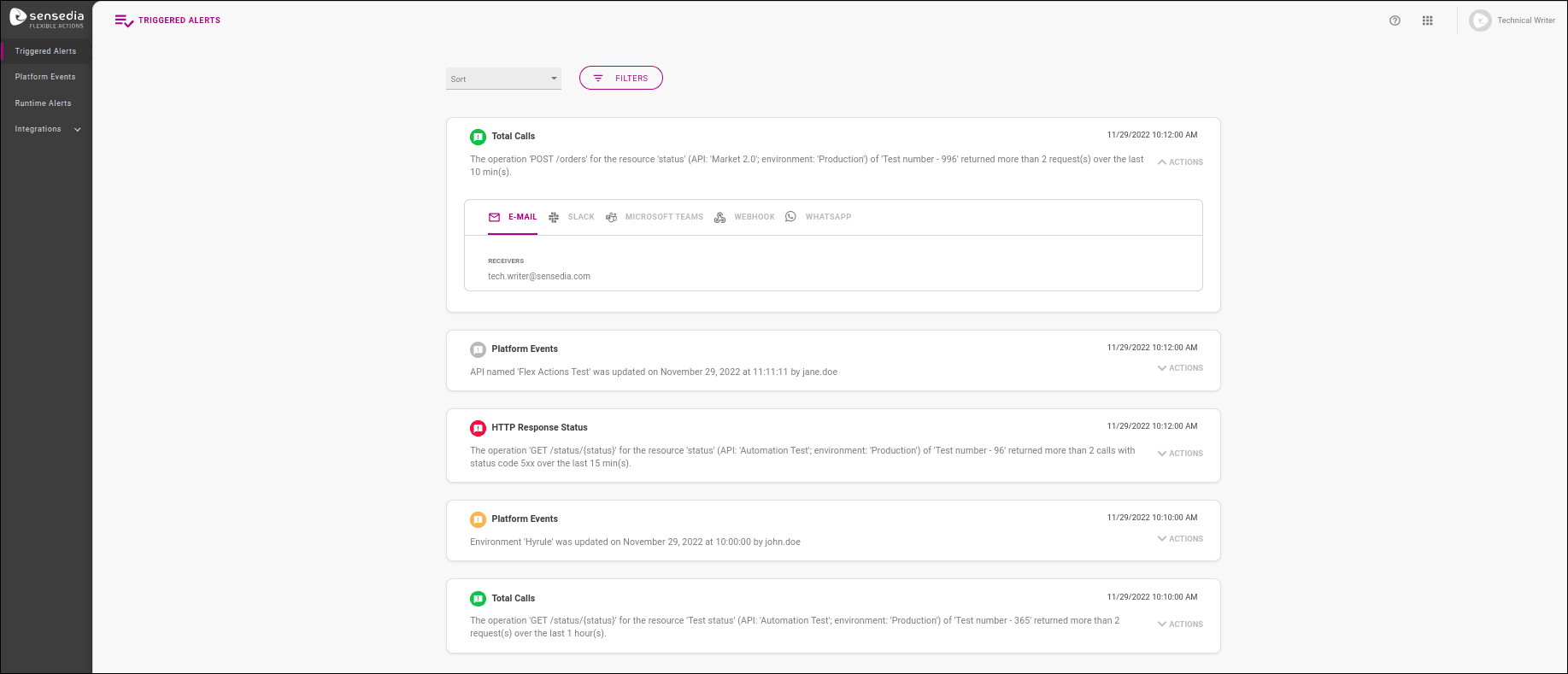
Triggered alerts listing screen
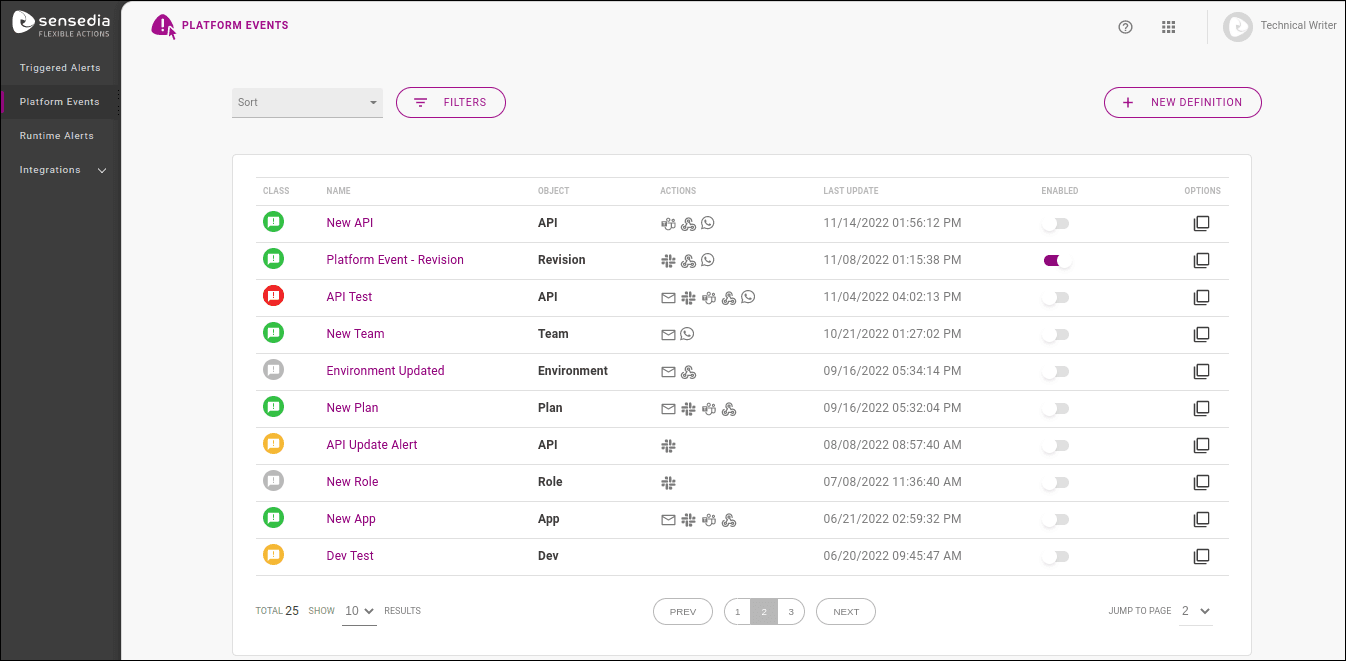
Platform Events monitoring and alert configuration screen
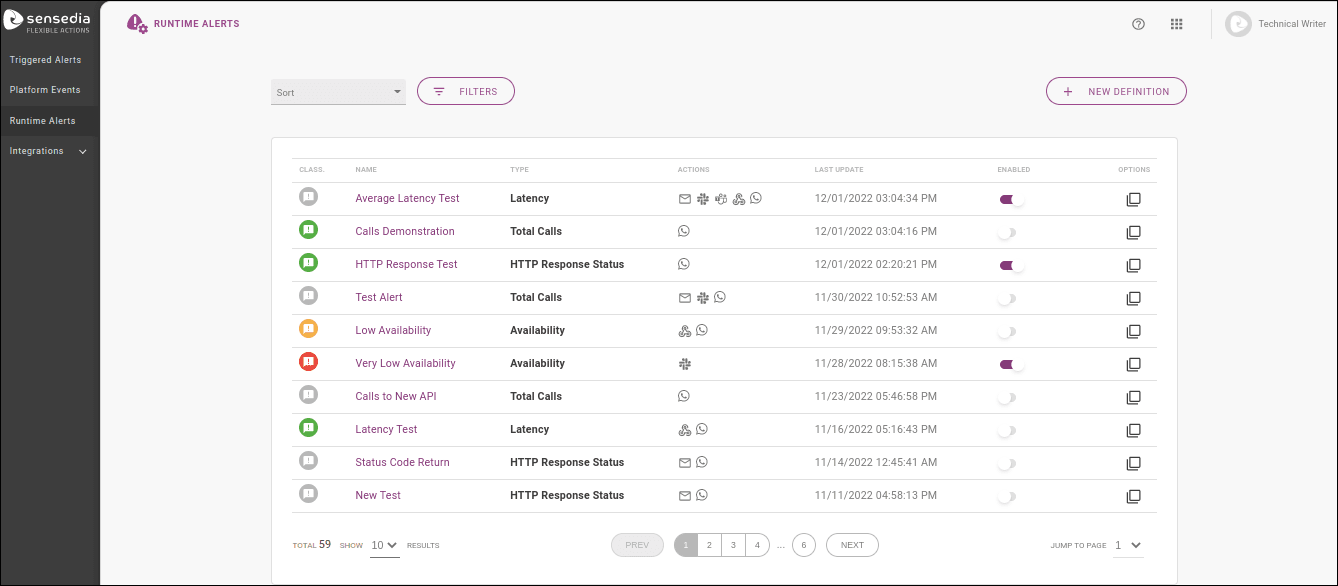
API monitoring and alert configuration screen
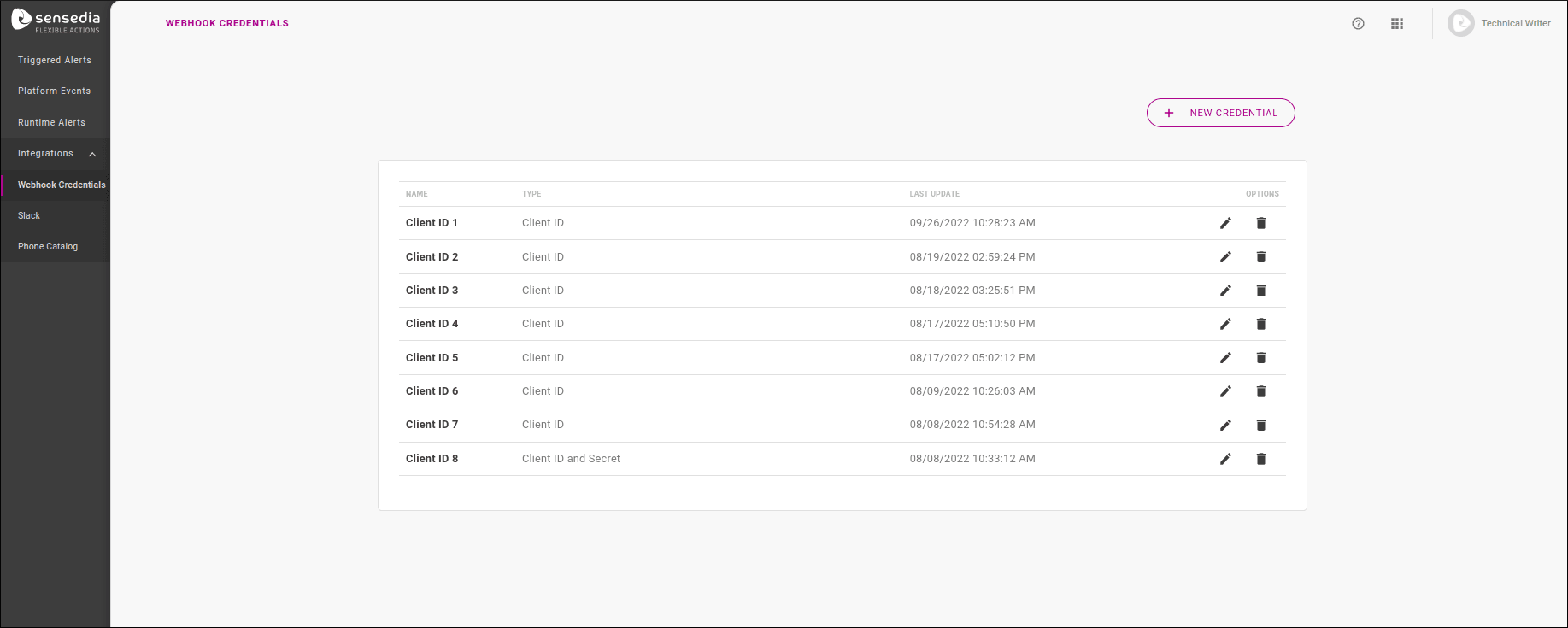
Integrations: webhook credentials listing and configuration
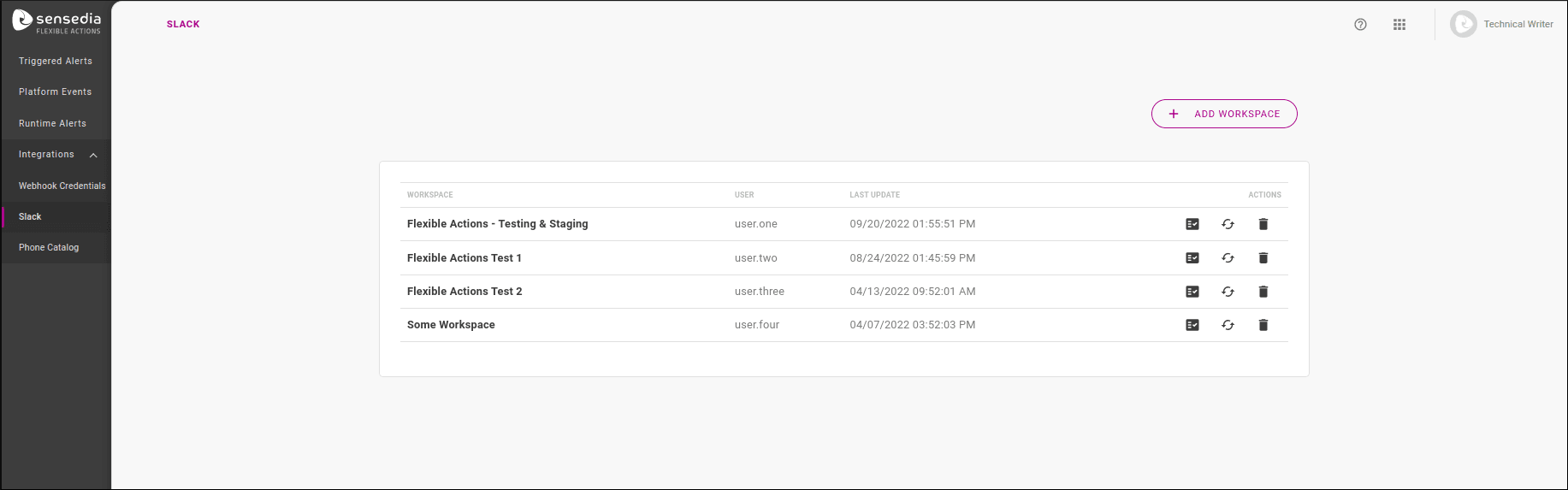
Integrations: Slack workspaces listing and configuration
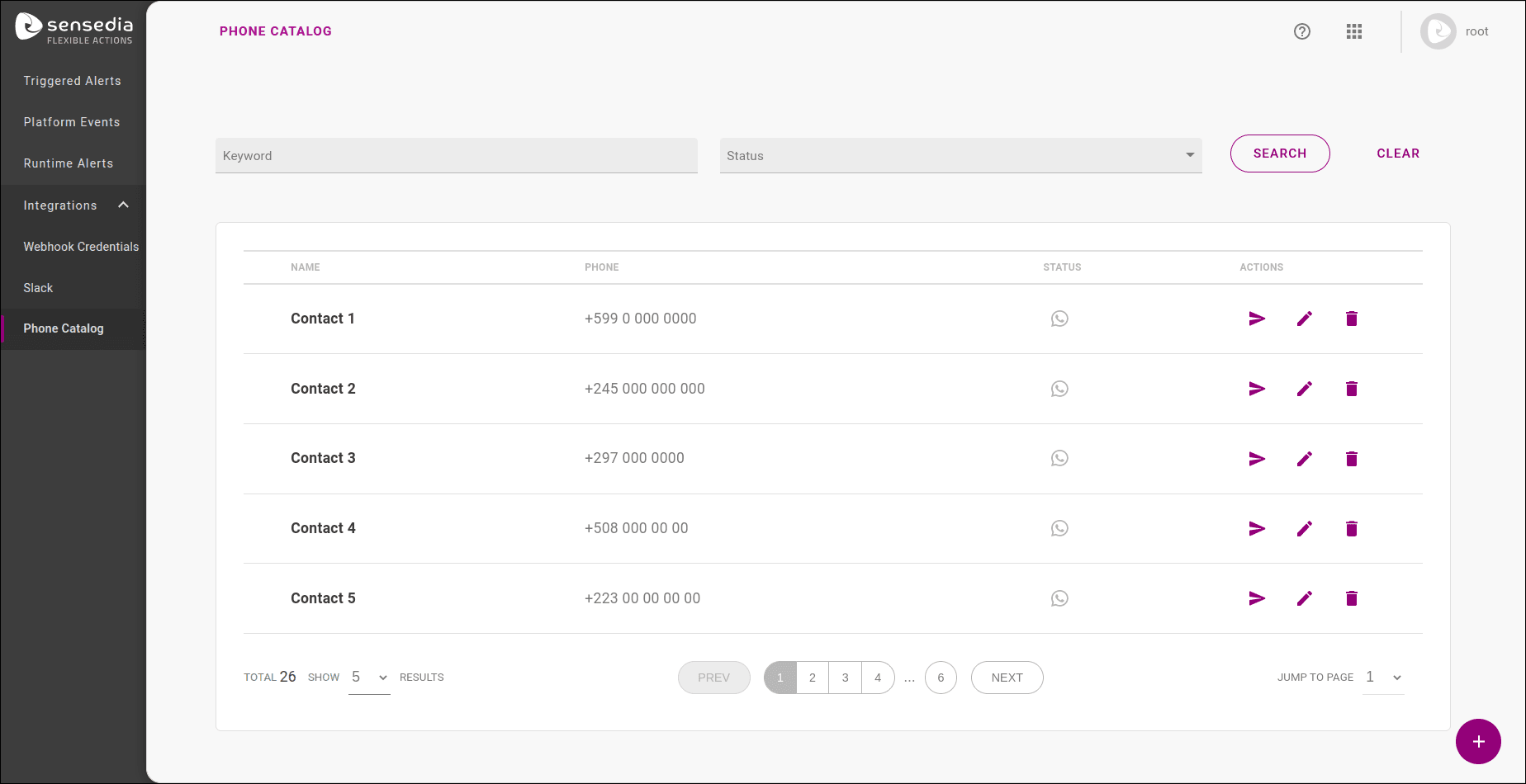
Integrations: WhatsApp contacts listing and configuration