- Home
- ...
- File Storage and Transfer
- c SFTP
c SFTP
The SFTP component provides access to remote file systems through the FTP and SFTP protocols. Operation only in passive mode.
URI syntax: sftp:host:port/directoryName
Main fields
Path parameters
Query parameters
Example
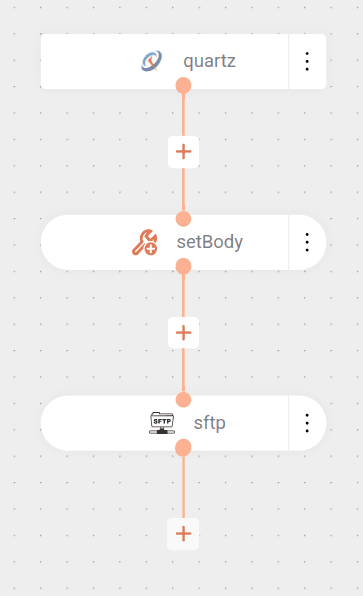
The flow is triggered by a Quartz trigger, which fires every minute.
When the flow starts, the message body is set to Hello World.
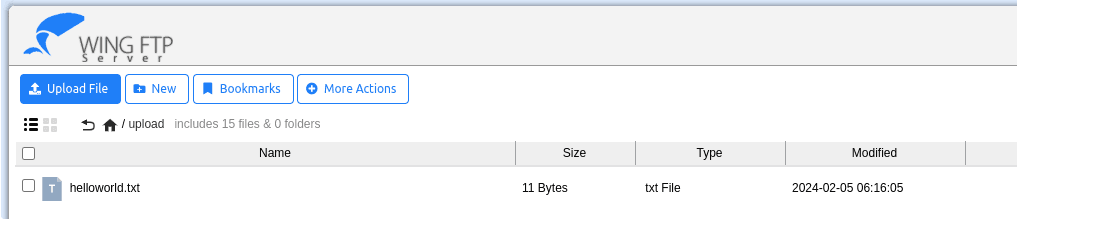
Next, the flow sends this message as a file named helloworld.txt to an SFTP server at address demo.wftpserver.com, on port 2222, in the /upload directory.
Result
NOTE
The connection configured in the example does not validate the SFTP server's identity, which means it would not detect potential security issues.
For secure validation, Apache Camel allows using a
known_hostsfile. To do this, it is necessary to:
- Include the
known_hostsfile as a resource in the integration.- Configure the
knownHostsFileparameter pointing to the file.- Enable the
strictHostKeyCheckingparameter.Read more about Resources files.