- Home
- Integrations
- Deploying an Integration
Deploying an Integration
To deploy an integration flow, follow the steps below:
NOTEIf a deployment of the integration already exists, the system will automatically undeploy the old version before deploying the new version. To consult the deployment status, access the Executions screen.
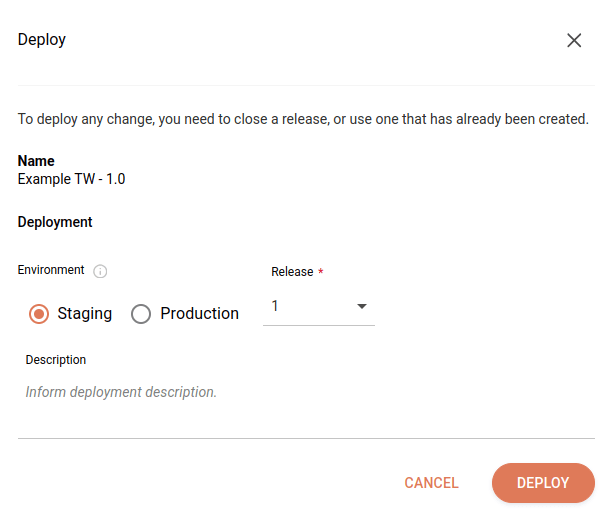
Click DEPLOY in the upper right corner of the screen.
Select the deployment environment in the Environment field.
Select the release you want to deploy in the Release field.
Write a deployment description in the Description field. After deployment, the description will be available on the Deployments screen in the Deployment History item under the Actions column.
Click DEPLOY.
NOTEIf there are variables in the integration script, their values will be automatically applied according to the selected environment (Staging or Production) during deployment.
TIPCheck the permissions required to perform each action in Sensedia Integrations.