- Home
- Integrations
- Steps - Triggers
Steps - Triggers
The trigger is the step that initiates the execution of the integration flow and provides the initial data.
There are two triggers available:
TIPYou can access the triggers submenu by clicking on the
icon in the editing menu or by clicking on the Start step on the canvas.
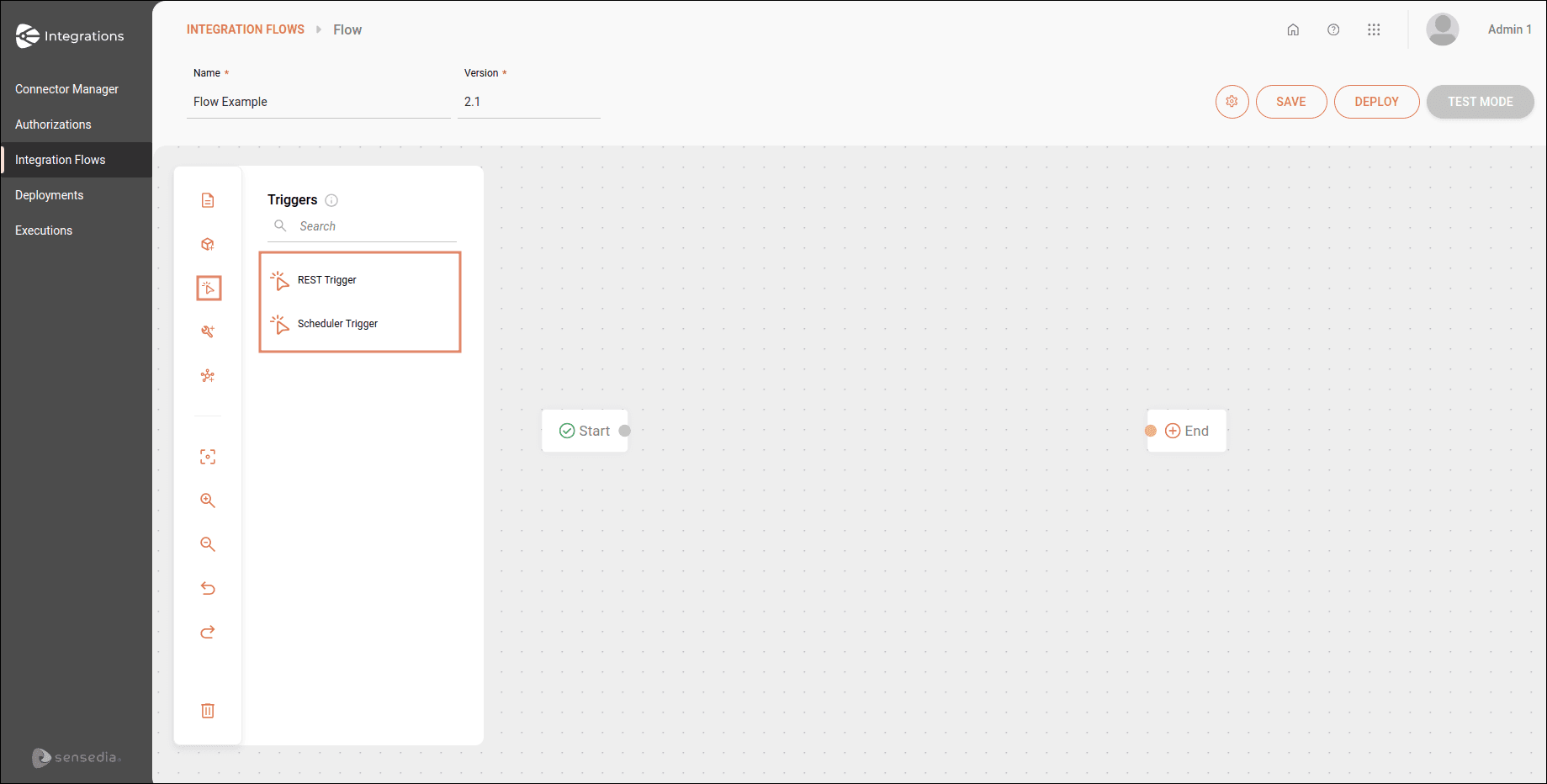
The trigger replaces the Start step. Only one trigger is allowed per integration flow and you can connect it only once to the subsequent step.
When the trigger is on the canvas, you will see an alert icon on it indicating that it needs to be configured and connected to the subsequent step.
If you delete the trigger, you will see the Start step name on the canvas again.