- Home
- Integrations
- Authorizations - Canvas
Authorizations - Canvas
IMPORTANTAuthorizations are only applicable to Canvas type integration flows.
Overview
Authorizations ensure security and control in accessing external systems and internal flows. They allow you to authenticate connections with APIs, databases, and other services, using methods such as OAuth 2.0 tokens or API Keys. This protects sensitive data during transfer, ensuring that only authorized connections are established, preventing unauthorized access and vulnerabilities.
To register and view your authorizations, access the Authorizations page:
- Through the left side menu of the product; or
- By clicking the specific card on the Welcome page.
Register a new authorization
To register a new authorization, click the + AUTHORIZATIONS button.
You can choose between API Key and OAuth 2.
To learn the step-by-step registration process for each of the available authorizations, visit the following pages:
- API Key
- OAUTH 2 - Client Credentials
- OAUTH 2 - Authorization Code
- OAUTH 2 - Authorization Code with PKCE
IMPORTANTYou must register authorizations in the environments where the integration flow will be deployed. To execute an integration via test mode (Test Mode), you must register the authorization in the Staging environment.
View your authorizations
If no authorizations are registered, you will see a message informing that no authorization has been created.
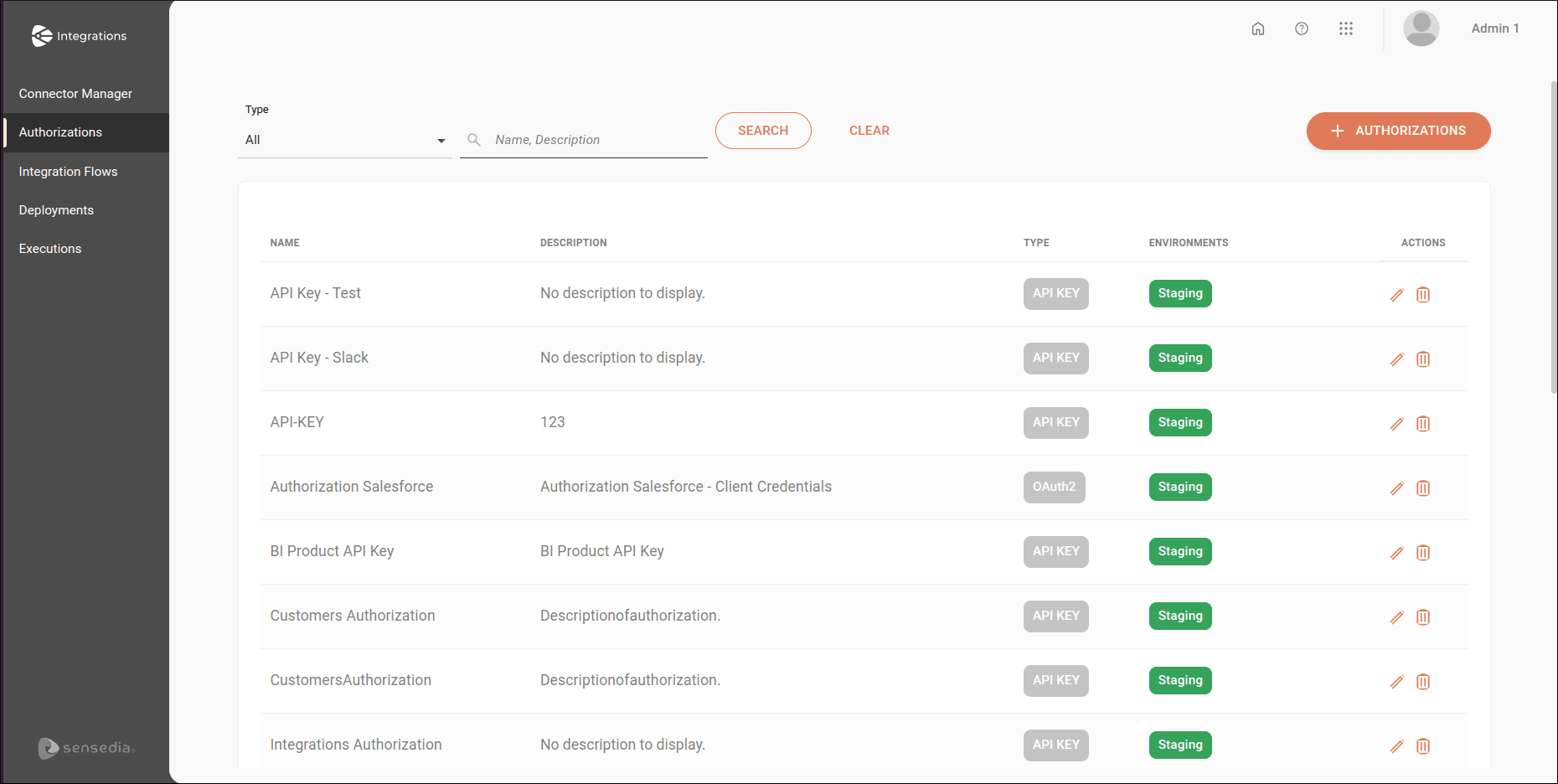
If you have already registered authorizations, the page list displays the last 25 authorization records, in alphabetical order.
To search for a specific authorization, type the name or description entered during authorization registration in the Name, Description field and click SEARCH.
In the Type field, you can restrict the view by selecting the registered authorization type: API Key or OAuth 2.
If you want to clear what was typed or return to the initial view of the authorization list, click CLEAR.
The authorization list contains the following columns:
- Name: authorization name.
- Description: authorization description.
- Type: registered authorization type. Can be API Key or OAuth 2.
- Environment: environments where the authorization is configured and validated. Can be Staging, Production, or both.
- Actions: actions to be performed on registered authorizations:
 : edits the registered authorization type.
 : deletes the registered authorization.
NOTEYou cannot delete an authorization linked to an integration flow.